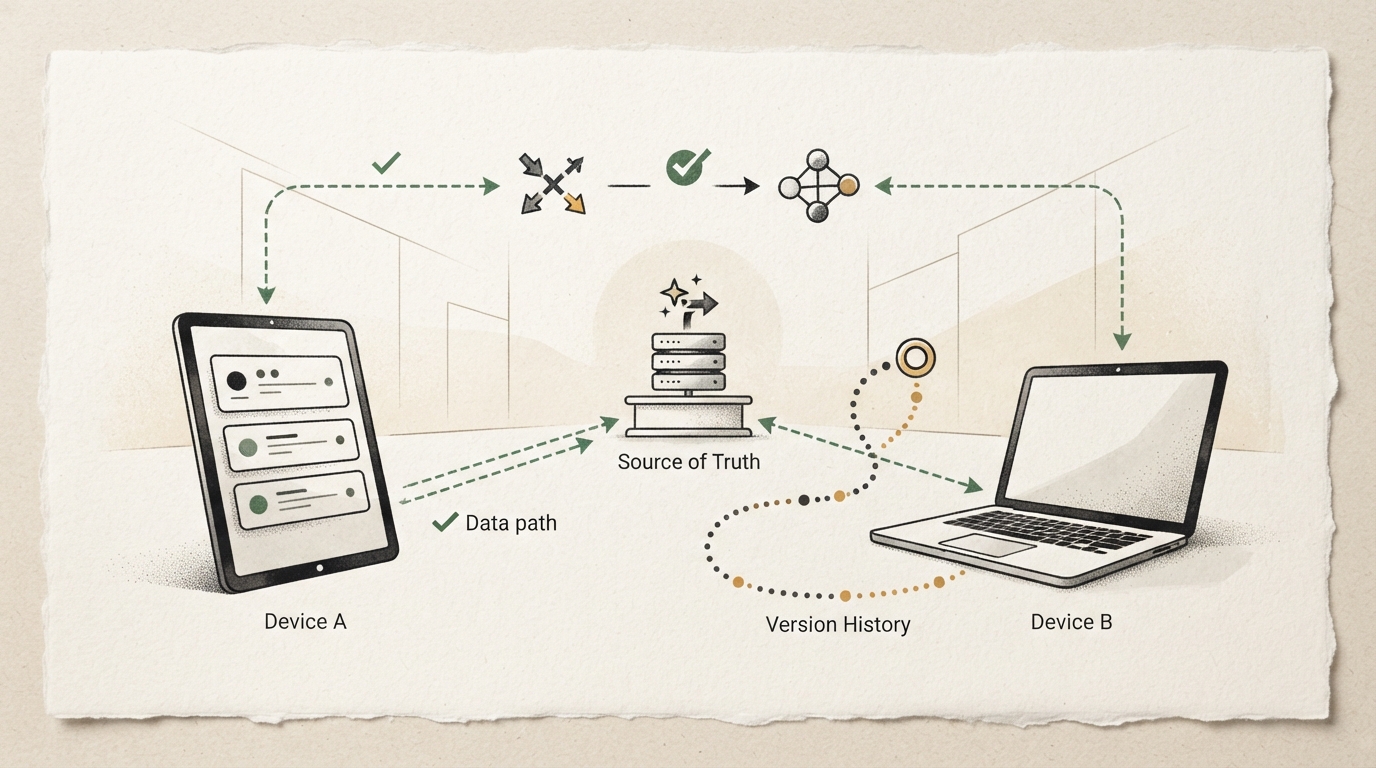
Sync is useful because it creates more than one copy, but that does not tell you which copy wins when two devices change the same file. Before moving important work, decide what the service treats as the source of truth and how you will recover from a bad merge, deletion, or accidental overwrite.
Start with a disposable folder. Put a small text file in it, let it appear on your second device, then make different edits while one device is offline. Reconnect and observe the actual outcome: does the service merge text, create a conflict copy, choose one version, or show a clear warning? Do not infer this behavior from a marketing page. Record where the conflict is visible and how you would explain it to a teammate.
Next, test recovery. Delete or overwrite the disposable file, then find version history and restore an earlier revision. Microsoft documents version history for OneDrive and SharePoint files, including a File Explorer route when the sync app is installed; it also notes that retention and availability can depend on account or administrator settings. Check the policy for your own service and account before relying on it.
Keep one independent copy while you change workflows. That can be an exported archive, another provider, or an offline backup, but it should not depend on the same account, sync client, and deletion event. Name the recovery owner and confirm they can find the copy without the original device.
The best sync setup is not the one with the most devices. It is the one whose source of truth, conflict path, and recovery window you have tested with harmless files. Repeat the test after a major client, account, or policy change.
Separate sync from backup
Sync and backup solve related but different problems. Sync tries to make a current working copy available in more than one place. That is excellent when you move between a laptop, phone, and browser. It can also spread a deletion, corruption, or unwanted edit quickly. A backup is a separately retained copy intended for recovery. It should have a recovery path that does not depend on the same client, account session, folder mapping, or accidental delete event.
Do not use the number of copies as your only safety measure. Two devices that faithfully receive the same mistaken deletion are two current copies of the same mistake. A provider’s version history may give you a route back, but its duration, availability, and permissions can depend on the product, account, and administrator policy. Learn what your account actually retains before you place irreplaceable work in it.
For important material, decide on an independent recovery copy before a migration. It might be an encrypted offline drive, an export held under a different account, or a backup service with separate credentials. The point is independence, not a specific product. Document where the copy is, how often it is refreshed, and who can restore it. A backup that only its former owner can locate is not a dependable recovery plan.
Declare the source of truth
The phrase “source of truth” is a practical agreement: when copies disagree, which system or version gets the final say? For a personal notebook it may be one synced folder. For a team document it may be a workspace with managed permissions. For photos it may be an original archive rather than an edited export. Write this down before people start making parallel copies in downloads folders, email attachments, and personal drives.
The rule does not mean every file must live in one product. It means you can answer three questions for each important collection: where is the current authoritative copy, who may change it, and what is the recovery source if it is damaged? If those answers are unclear, an apparent sync failure can turn into an argument about which copy is newest. File timestamps and names are clues; they are not a governance model.
Use deliberate naming when a workflow includes exports or handoffs. Mark a snapshot as a snapshot, give it a date or version, and avoid placing it back into the live folder unless it is meant to replace the live work. This reduces a common mistake where an old attachment silently becomes a competing “final” copy. For team material, explain the source-of-truth rule in the same place people receive the folder link.
Run a conflict rehearsal
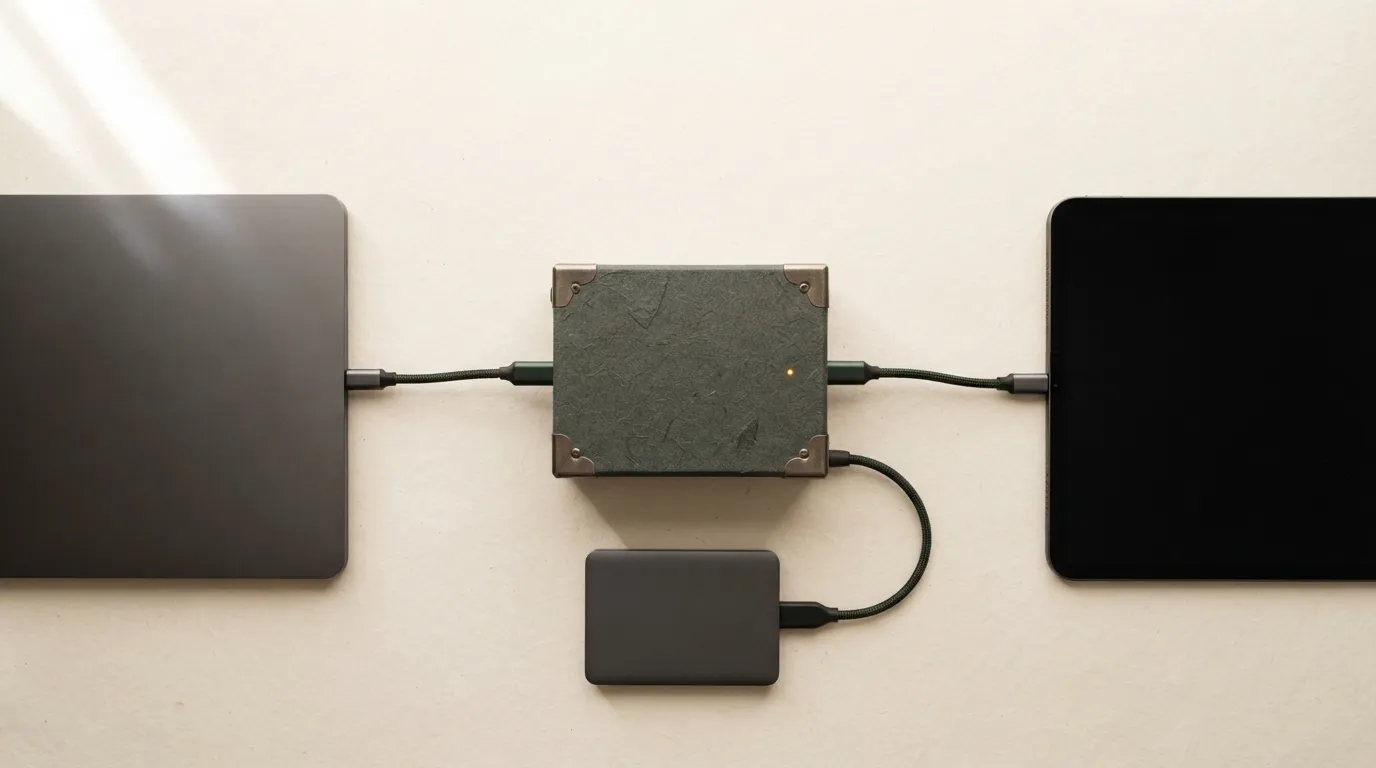
A disposable conflict test should resemble your real use. Create a text file with an obvious initial line. Allow it to sync to two devices. Take one device offline, make a different small edit on each, then reconnect. Watch the client, web interface, and local folder. Note whether the product merges changes, creates another file, requests a choice, or overwrites one version. Repeat with the kinds of files you actually use when that is safe; text merge behavior does not imply similar treatment for a database, design file, or media project.
The test is not complete until you can find the result later. Record the file name shown for a conflict, the folder where it appears, and the notification a collaborator would see. If the result is confusing on harmless content, do not assume people will respond well when it is the only good copy of a report. Change the workflow: avoid offline parallel editing, assign one editor, use a collaboration mode designed for the format, or add an explicit check-in point.
Also test a less dramatic failure. Pause or quit the client, make a change, restart, and observe how long the update takes. Sign in with a second account only if that reflects the real permission model. Confirm that a removed user loses access as expected. These checks reveal whether the service is merely convenient or actually understandable to the people who need to recover work.
Practice recovery before you need it
Recovery starts with a copy of the test file, not an urgent production incident. Overwrite the file with a clearly wrong line, then locate version history. Inspect the prior revision before restoring it; Microsoft’s guidance describes this inspect-and-restore approach for eligible OneDrive and SharePoint files. Confirm the restored version appears where you expect on each device and that the wrong content is no longer treated as current. Note the permission required to perform the restore.
Next, simulate a deletion. Move the test item to the service’s recycle or trash area, find it through the normal interface, and restore it. Then test a case that version history cannot solve: remove network access or sign out, and see whether the independent backup remains findable. A recovery plan has passed only when a person can execute it with the tools and access they would have during an ordinary bad day.
Set a recovery window appropriate to the work. A daily export may be enough for a low-change reference folder and inadequate for active client work. A short version-history window may be fine when an independent archive exists and dangerous when it does not. State the acceptable loss in time—hours, a day, a week—rather than relying on words such as “regular.”
Migrate in stages
Avoid moving every important folder at once. Begin with a small non-critical collection, apply the source-of-truth rule, test a conflict and restore, and check storage consumption and permissions. Only then copy the next group. Keep the old location read-only or otherwise clearly marked until you have confirmed the new workflow across the devices that matter.
During migration, resist cleanup impulses. Do not delete the previous copy simply because the new service displays it. Check file counts where feasible, open a sample of important formats, and verify that folder names and access controls survived. For a shared collection, ask another participant to find, edit, and recover a harmless file. Their experience is often the best indicator that the workflow is ready.
Review the arrangement after a client update, policy change, new device, or account transition. Sync is not a one-time purchase decision; it is an operating habit. The goal is a modest one: every person who relies on the files should know where to work, what happens when copies disagree, and how to get back to a known-good version.
Keep the recovery instructions close to the work
Write a short recovery note where the people using the folder can find it. Include the source of truth, normal sharing location, version-history route, independent backup location, and the person or team to contact when a conflict appears. Keep it procedural: make a copy of the current state, inspect the competing versions, and restore only after the owner agrees which version is authoritative. This is far more useful than a general promise that the cloud has copies.
Review the note after any large migration. New folder structures, account changes, and desktop-client updates can invalidate an old screenshot or assumption. If a person who did not set up the service can follow the note with a harmless test file, the setup has become much more resilient.
For especially important folders, make recovery ownership explicit. Decide who can authorize a restore, who has access to the independent backup, and how the team will pause edits while competing versions are examined. This prevents a well-intentioned helper from restoring one device’s copy while another person continues changing a different one. A brief pause and a named decision maker are usually cheaper than trying to merge several accidental recoveries later.
Keep the test artifacts small and clearly labeled, then remove them when the rehearsal is complete. Their value is the knowledge they create: you have seen the actual conflict and recovery behavior under your account, instead of assuming the service will behave like another product you used years ago.
If the service changes a default sharing setting or introduces a new client, repeat the focused test. Small interface changes can alter where a conflict message appears or which copy a user opens first. The routine is intentionally lightweight so it remains feasible after the changes that matter.
The same principle applies when a new collaborator joins. Show them the live location and recovery note first. A short orientation prevents the creation of another unofficial copy that later competes with the source of truth.
That orientation should include one simple instruction for emergencies: stop editing the disputed file, preserve the copies, and ask the named owner to compare them. Preventing a rushed overwrite is often the first successful recovery action.
Limits
Provider capabilities, retention rules, administrator settings, and file-type behavior differ. This guide cannot certify a specific service or account. When the work has legal, financial, or safety consequences, use the organization’s approved storage and recovery policy and test within that policy.